
Approvals and the valet key
A write or control tool doesn’t run when the model calls it. The call stops, and you get an approval card. The tool runs only after you press the button.
This happens in Valet’s server, not in the prompt. The model has no way to approve its own call.
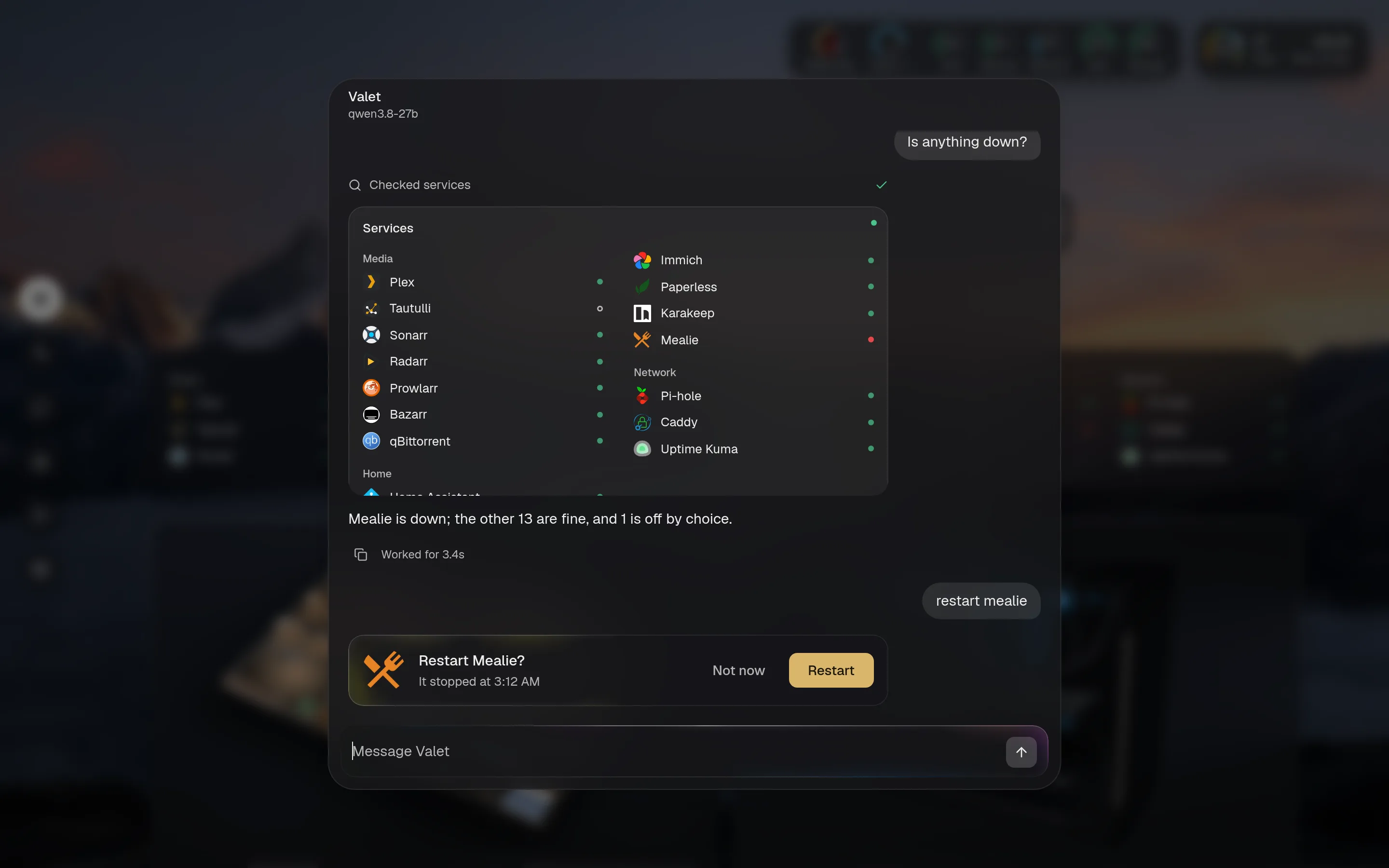
The approval card
Section titled “The approval card”The card says what’s about to happen, in plain words. The words come from the tool, not from the model. A tool’s confirm function can look things up, so the card can show what the service says rather than what the model typed.

Not now refuses, and the assistant is told so. The other button names the action: Restart, Pause, Request. One click either way. If a tool has no words of its own, the card says “Allow this:” and shows its input.
Dangerous actions
Section titled “Dangerous actions”Some actions are hard to take back, like stopping someone’s stream. Those tools set danger, and the button turns red. It’s still one click, so read the card.

Several changes, one approval
Section titled “Several changes, one approval”“Clear some space” might take three steps. The built-in plan tool lists them, and you approve the list once.
- You see every step and why, in order, before any of them runs.
- Each step must be a tool at a level this instance’s access allows, with input that passes its own check. If one doesn’t, nothing runs.
- It stops at the first failure and tells you what didn’t run.
- Plans can’t include the tools that edit the config.
An approved plan runs all its steps, including control tools, with that one approval. Read the list.
After you approve
Section titled “After you approve”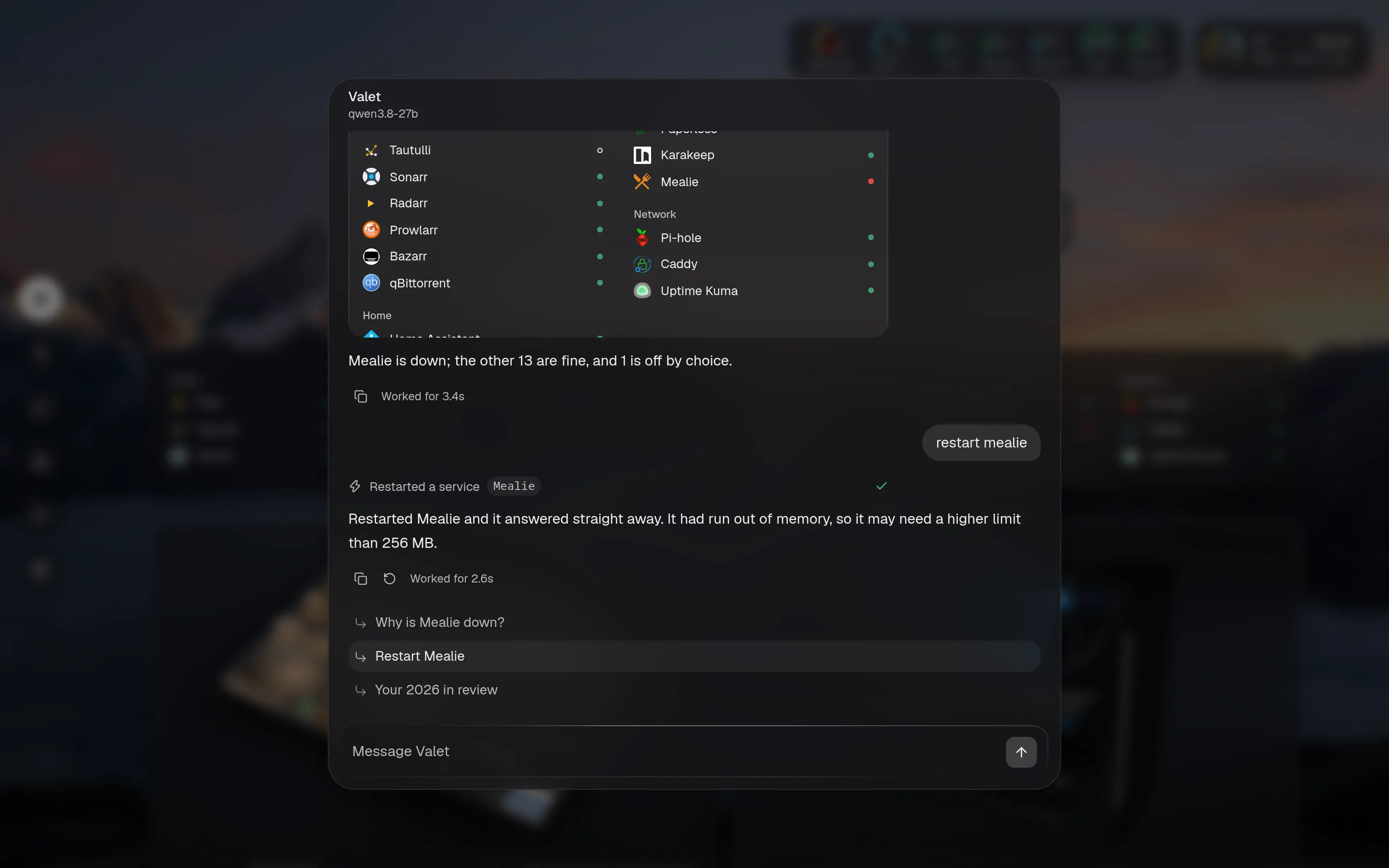
If the tool fails, the chat says so, and the failure goes in the log.
The activity log
Section titled “The activity log”Everything that isn’t a read goes in data/activity.json: who asked, how, what it did, and whether it worked. Secrets are redacted before it’s stored. It keeps the last 2,000 entries.
That covers changes from chat, plans, the page’s own buttons, and pins. For MCP, only tools that needed approval are logged.
Put valet.activity in your layout to see it on the page, or ask “what did you change?”. The activity_log tool answers that, so you can check what it did by asking.
A tool can name the tool that reverses it. qBittorrent’s pause_downloads and resume_downloads name each other. When one has run, the activity card offers an Undo button for the latest entry that can be undone.
Most tools have no undo. Restarting a service or stopping a stream can’t be taken back, so check the card before you approve.
What approval doesn’t do
Section titled “What approval doesn’t do”An approval means you saw a sentence and pressed a button. It doesn’t check the sentence is wise.
- The card shows the tool’s input. If the model picked the wrong film or the wrong service, the card shows the wrong one, and you need to catch it.
- A tool without
confirmshows its raw input, which is harder to read. - If you approve everything without reading, you’ve given the assistant control. Use
readfor anything you wouldn’t check. - MCP tools’ cards can only show their input, since Valet doesn’t know what they do. See MCP.